Showbiz Streaming Platform
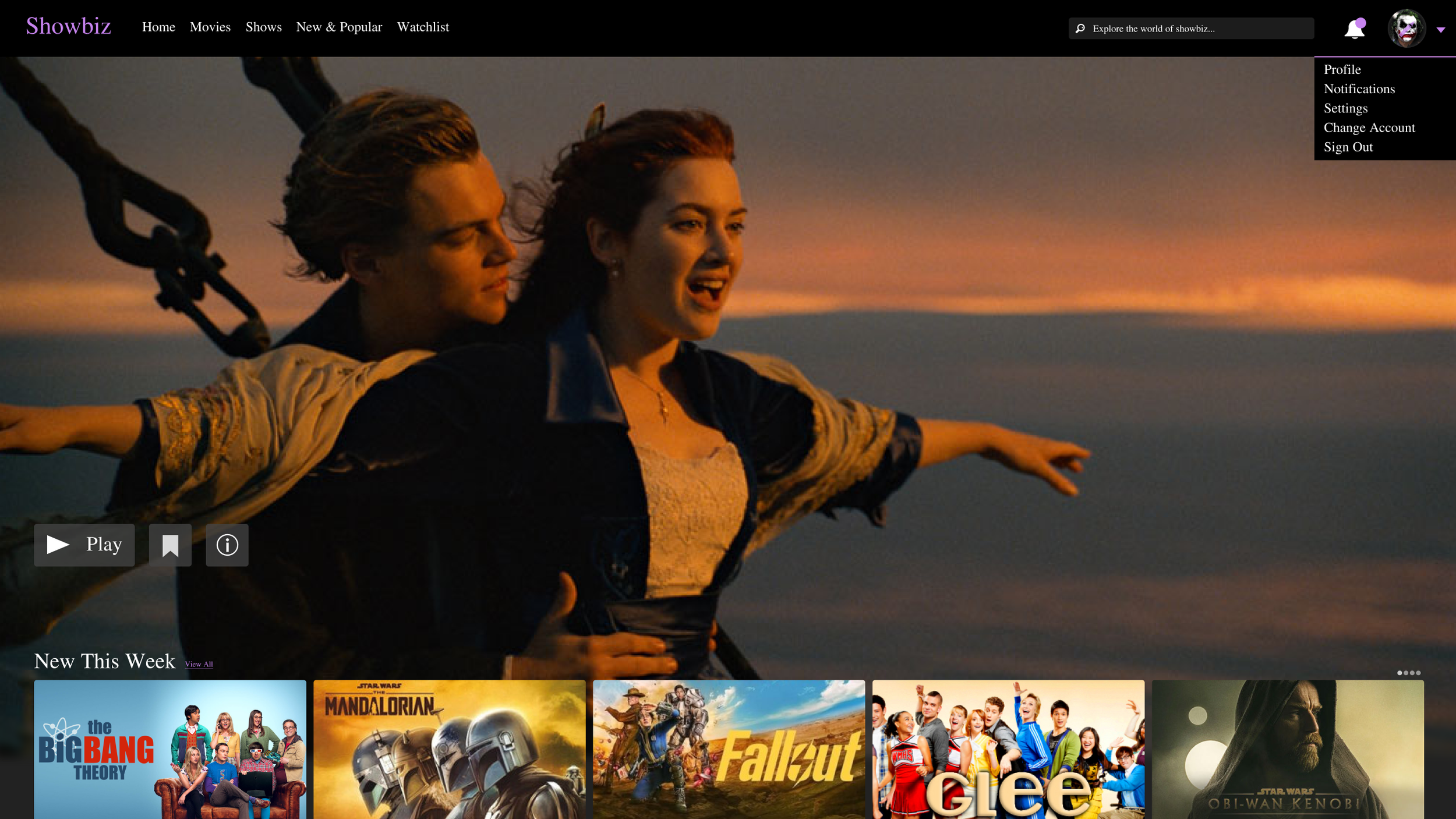
Showbiz is a Netflix inspired TV streaming platform concept designed to deliver a familiar, intuitive, and visually engaging browsing experience. The layout features a prominent hero section showcasing a featured movie with quick actions to play, add to watchlist, or view more information. Beneath the hero, popular shows are displayed in horizontal scrolling rows for effortless discovery. The top navigation bar allows users to browse categories, access their watchlist, search for content, and view notifications, alongside a profile menu for account management. The design focuses on clarity, accessibility, and seamless content exploration.
Home Screen
For Showbiz, the goal was to design a streaming platform experience that feels instantly familiar while maintaining its own visual identity. The layout was inspired by industry leading platforms like Netflix to reduce learning curves and create a frictionless browsing experience for users. A large hero section was placed at the top of the page to spotlight featured content and drive engagement through clear primary actions such as play add to watchlist and view details.
Content discovery was designed around horizontal scrolling rows, allowing users to quickly scan and explore popular titles without leaving the homepage. This approach supports fast decision making and encourages content exploration while keeping navigation simple and intuitive.
The top navigation bar was designed to stay minimal and accessible, giving users quick access to categories watchlist search notifications and profile settings. This ensures that key actions are always within reach without cluttering the interface.
Browse
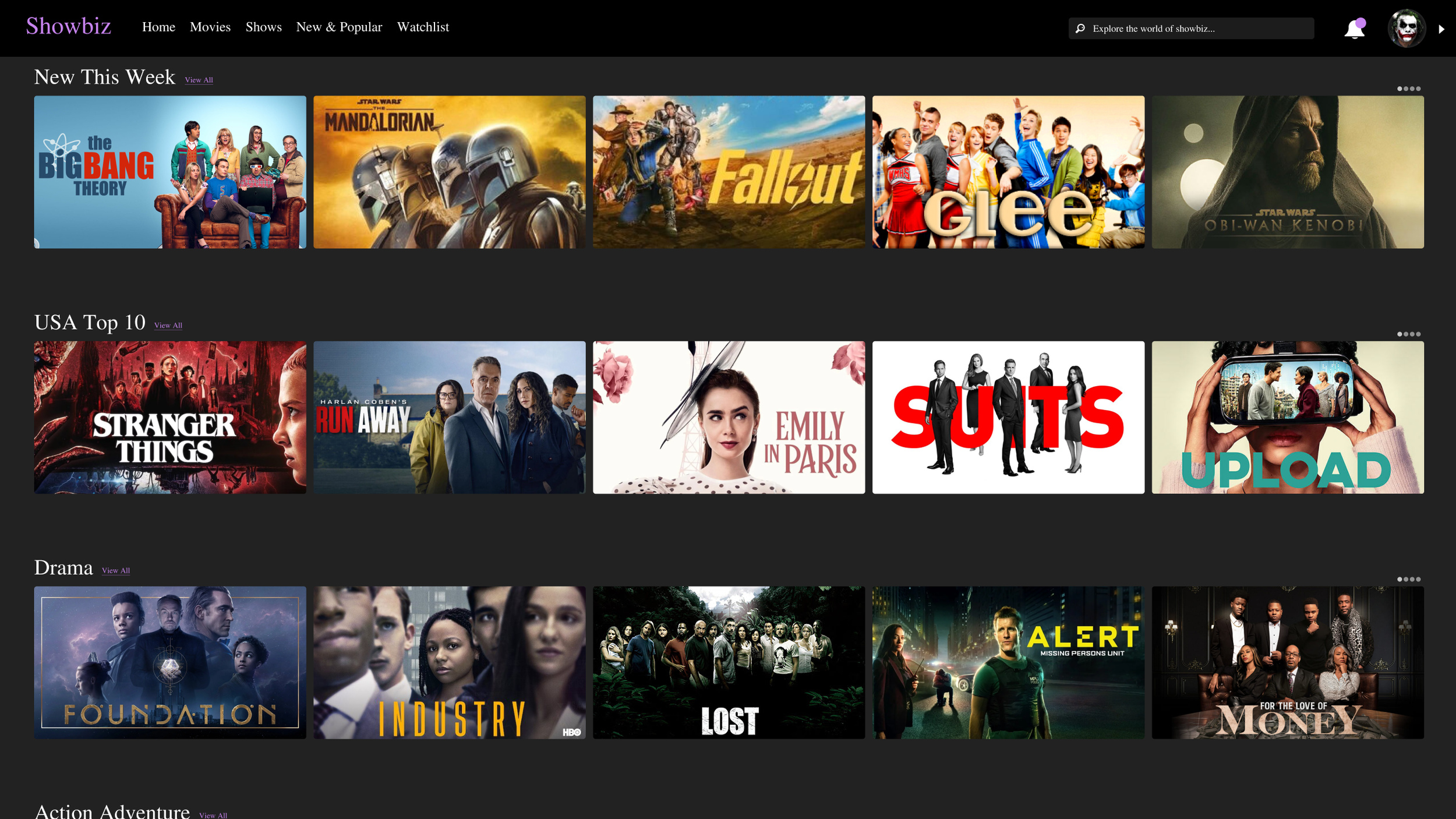
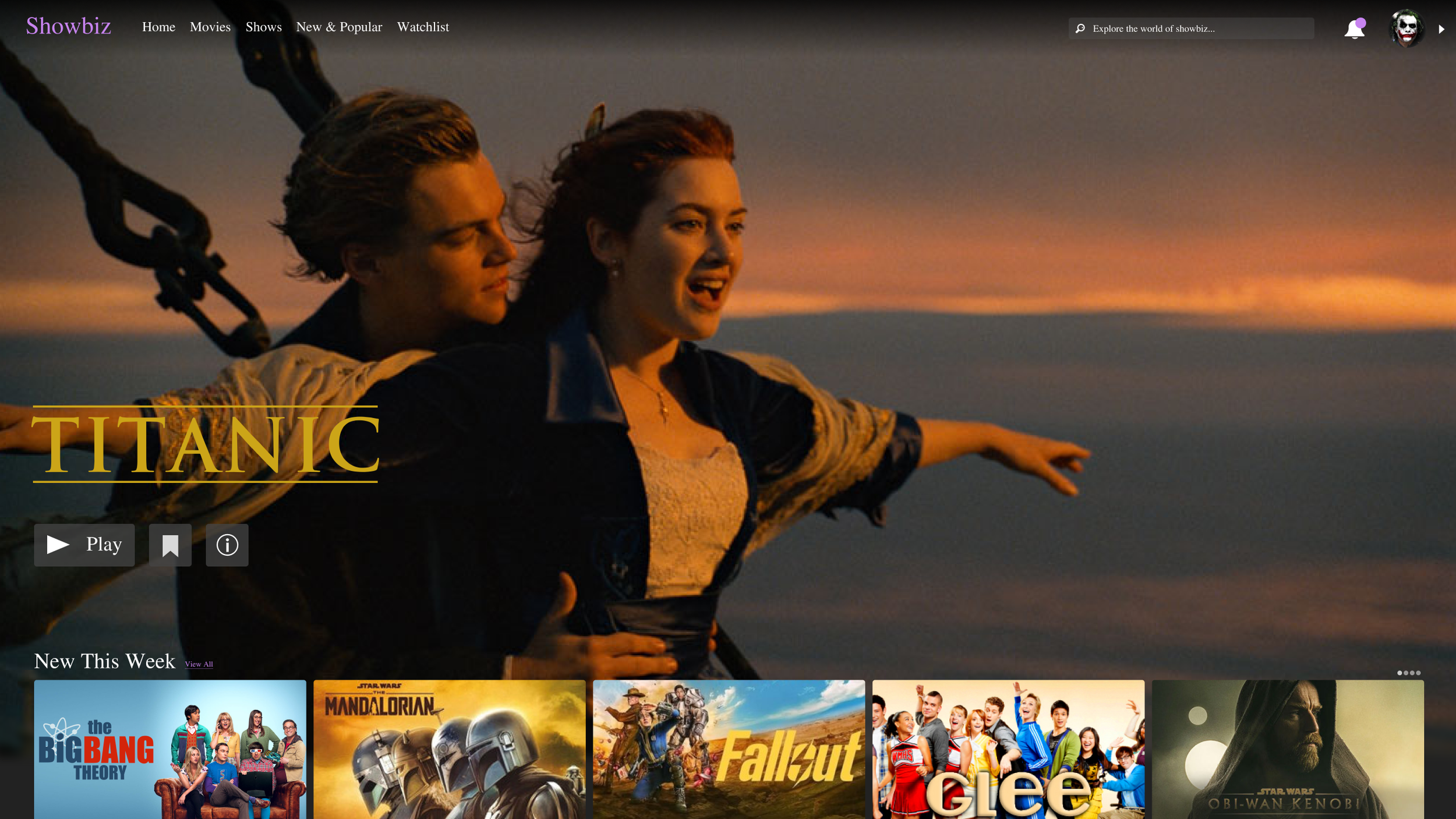
The Browse section is designed to optimize content discovery and engagement through a clear visual hierarchy and intuitive interaction cues. The top navigation bar shifts from semi-transparent to solid black on scroll, enhancing contrast and maintaining focus on media assets while reducing cognitive load. Content is organized in multiple horizontal rows, each representing a curated category such as Top 10 in the USA or Thrillers. Each row displays five cover images by default, providing glanceable affordances for users to recognize available content. Users can interact with rows via horizontal scrolling or select View All to expand the full content set, supporting both quick exploration and deeper browsing. Row spacing, consistent card sizing, and alignment reinforce visual rhythm, while hover and focus states provide feedback on interactivity, ensuring a responsive and accessible browsing experience.
Account Popout
The Account Popout provides users with quick access to profile management and session controls directly from the top navigation bar. Triggered by clicking the profile icon or the adjacent arrow, the menu slides out in a vertical layout, presenting options to edit the profile photo, view the user profile, access notifications, switch accounts, or sign out. The simple, stacked arrangement ensures clarity and ease of scanning, while consistent spacing and alignment reinforce visual hierarchy. Interactive elements include clear affordances for hover and focus states, promoting discoverability and accessibility in user interactions.