Horror Gameplay UI System
Designing immersive, state driven UI for a first person horror experience
ROLE
UI/UX Designer
Focus
Gameplay UI, Systems Design, Player State communication
TOOLS
Figma, Unreal Engine 5 (Reference for implementation)
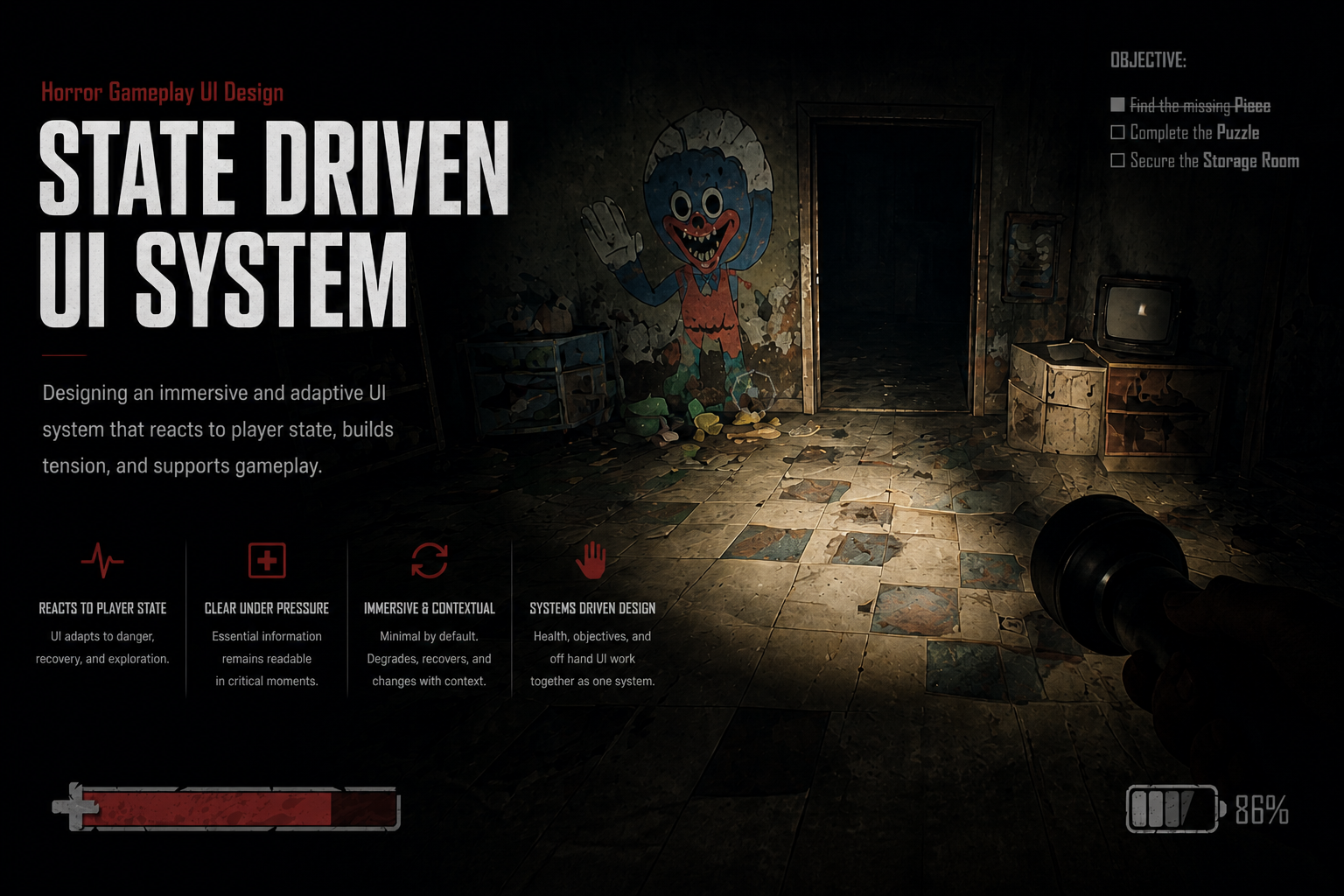
Overview
This project explores how UI can support player emotion and decision making in a first person horror game.
The goal was to design a system that adapts to gameplay states instead of remaining static, allowing the interface to reinforce tension, urgency, and recovery without breaking immersion.
Design Goals
Maintain immersion through low contrast, minimal UI
Communicate player state without overwhelming the screen
Reinforce tension through UI degradation during critical moments
Build a contextual system that adapts based on player actions
Ensure clarity under stress while preserving atmosphere
Core System: UI Across Player States
Instead of designing isolated screens, I focused on how UI behaves across different gameplay conditions.
Exploration State
UI remains stable and minimal
Flashlight is active, displaying battery in the off hand UI
Objectives are visible but not distracting
Health bar is intact and readable
Intent:
Provide clarity without pulling attention away from the environment. The player should feel in control.
Critical State (Chase)
Objective shifts to “SURVIVE” and is prioritized
Health bar breaks into segments and begins leaking
UI becomes less stable and more chaotic
Off hand UI disappears when no item is equipped
Red vignette and camera instability reinforce urgency
Intent:
Reduce clarity slightly to increase tension while still providing enough information for survival.
Recovery State (Healing)
Player performs a healing action using a crafted item
Off hand UI updates to display healing item and remaining uses
A radial timer communicates healing progress
Health bar begins to reform gradually
Visual intensity decreases but does not fully return to baseline
Intent:
Create a vulnerable moment where the player is recovering, reinforcing risk while restoring control.
Key Systems
Health Bar Behavior
The health system was designed to visually reflect player condition:
Normal: Stable and intact
Critical: Segments break and leak
Recovery: Gradually reforms during healing
This creates a clear relationship between gameplay and UI:
Damage → Failure → Repair
Objective Prioritization
Objectives dynamically shift based on context:
Standard tasks are visible during exploration
During critical moments, the UI prioritizes survival
This ensures players receive the most relevant information without clutter.
Contextual Off Hand UI
The bottom right UI updates based on the player’s equipped item:
Flashlight → Battery indicator
Healing item → Remaining uses
Empty hand → UI hidden
This system keeps the interface clean while still providing necessary feedback.
Layered Feedback System
Each action is supported by multiple signals:
Visual (hands interacting with objects)
UI (progress indicators, health changes)
Environmental effects (vignette, camera movement)
This ensures information is communicated clearly, even under stress.
Reflection
This project reinforced the importance of designing UI as a system rather than a collection of screens.
By focusing on how the interface responds to gameplay, I was able to create a more immersive and emotionally driven experience.
If expanded further, I would explore:
UI animation and motion behavior across states
Playtesting readability under real gameplay conditions
Expanding the off hand system to support additional tools and mechanics
Final Thoughts
This system demonstrates how UI can actively support gameplay by adapting to player state, rather than remaining static.
The result is an interface that enhances immersion while still providing the clarity needed to make decisions under pressure.