Final Moon Spaceship Shooter
This project was commissioned by The Final Moon, who tasked me with designing a cohesive UI system for their spaceship shooter, including the Main Menu, In-Game Menu, and Player HUD. With a focus on game design and UI/UX, I approached the project by establishing a visual language that supported usability and player engagement. The futuristic, space-themed setting, reminiscent of Star Wars, required a vibrant and playful color palette. By leveraging cool tones and space-inspired visual elements, I was able to create a UI that met the client’s aesthetic goals while maintaining clarity, hierarchy, and intuitive interaction patterns. The result was a polished interface that enhanced the player experience and satisfied the client’s vision.
Main Menu
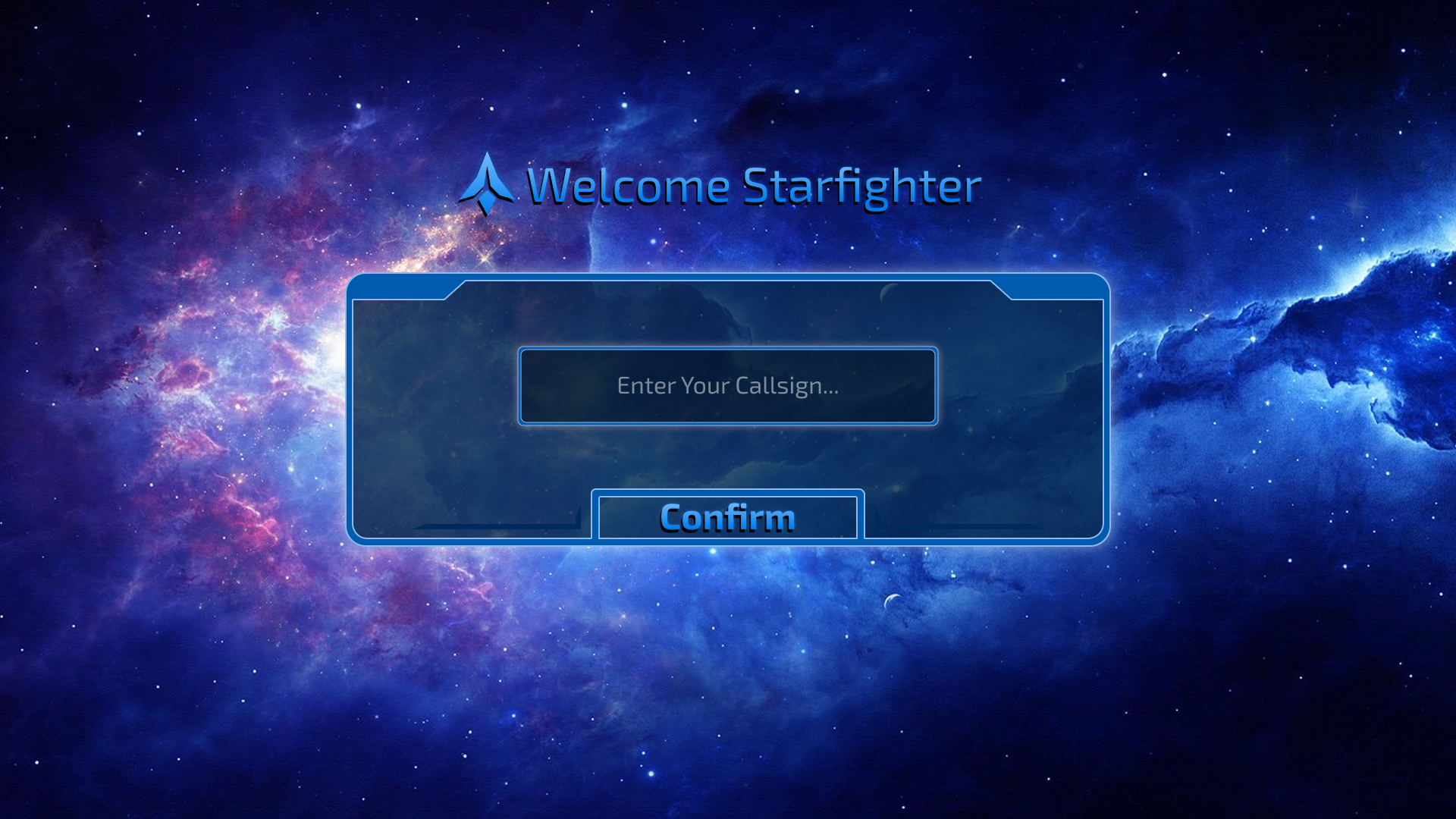
The Main Menu serves as the player’s entry point into the game, designed to establish an immediate visual and thematic connection. The background features a dynamic galaxy-inspired nebula blending shades of blue, purple, and black, creating depth and a sense of immersion. A primary blue interface panel sits at the forefront, accented with geometric elements that provide personality and visual interest without compromising clarity. The layout emphasizes usability, featuring a text input for the player’s name and a clearly identifiable Continue button positioned at the bottom, guiding the user’s attention through a simple and intuitive interaction flow.
In Game Menu
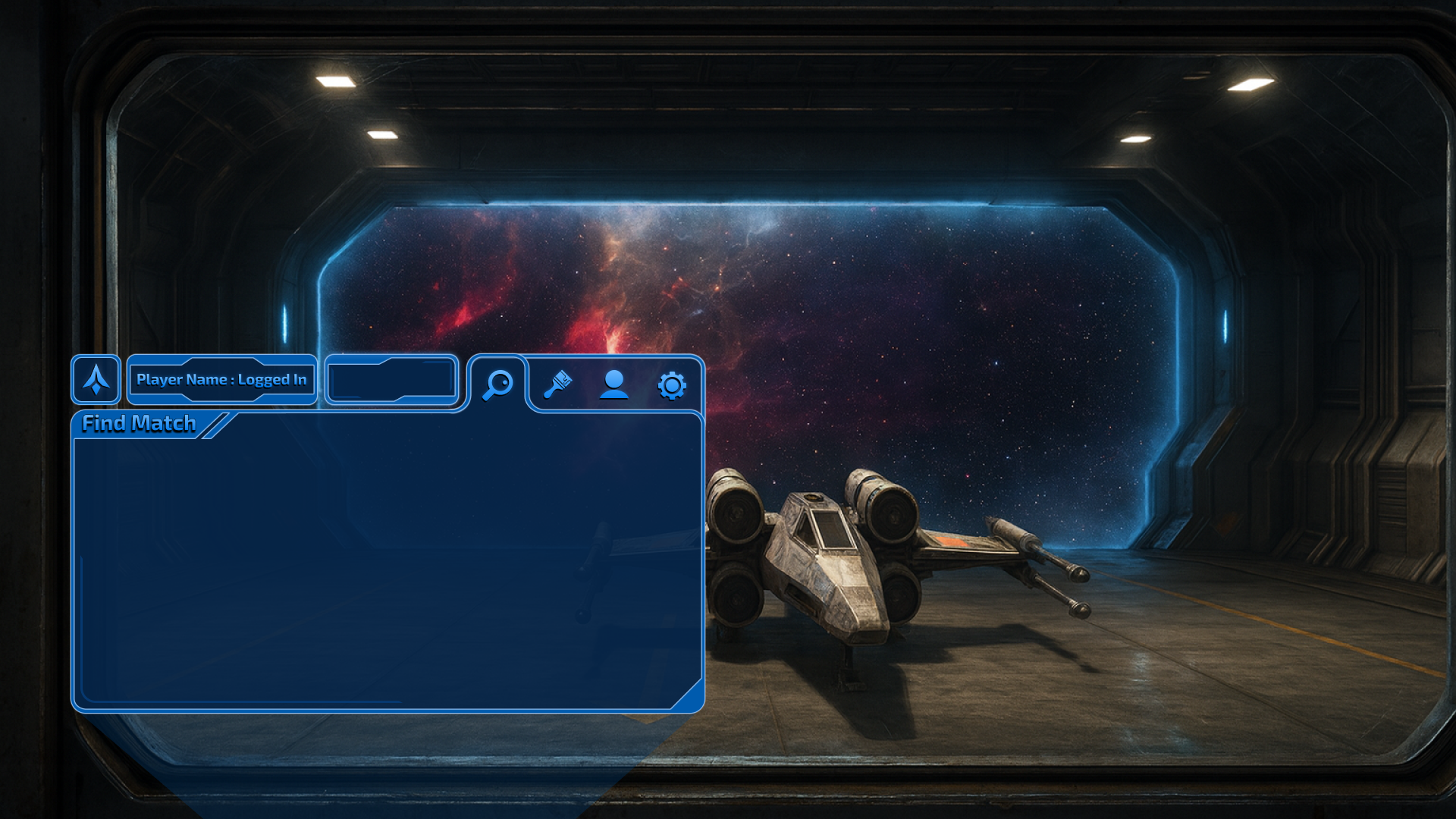
The In-Game Menu is designed to maintain continuity with the Main Menu while providing functionality tailored to gameplay context. The player is positioned behind a hangar window, viewing their ship with space and a blue-tinged nebula in the background, creating spatial depth and thematic consistency. A holographic projector-style menu overlays the scene, allowing users to navigate between searching for matches, customizing their ship, editing their profile, and accessing settings. By reusing the geometric accent elements from the Main Menu, the interface preserves visual cohesion and reinforces the overall UI system. Interactive affordances and visual hierarchy guide user attention to key actions while keeping the player immersed in the environment.
Player HUD
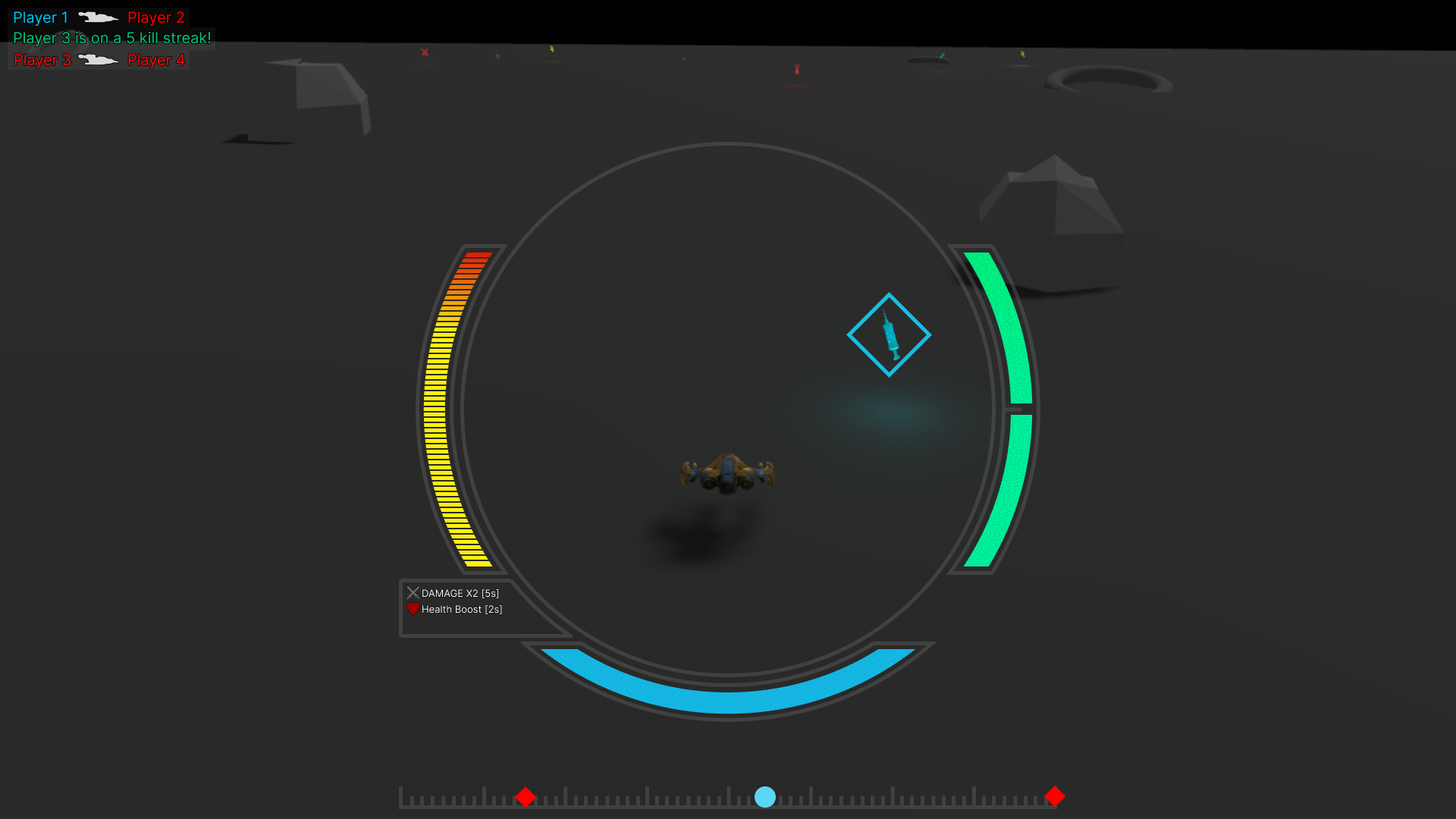
The Player HUD is designed to provide critical gameplay information without obstructing the player’s view. A circular interface frames the player’s ship in a third-person perspective, incorporating the crosshair, speed gauge on the left, boost gauge on the right, and a health gauge along the bottom. Curved gaps between the health gauge and the side gauges create space for a buffs and debuffs panel, which follows the circular design language for consistency. A compass at the bottom of the screen communicates spatial awareness, displaying enemy and pickup locations, while a kill-feed in the top left corner tracks player eliminations with ship icons for visual context. The HUD balances information density with readability, maintaining situational awareness while preserving immersion in the game world.